ESTIMATESSIGNATURESINVOICED

Finish the paperwork before you leave the job.

Send the estimate, get it signed, send the invoice. Put the job on your calendar, log a partial payment, see what you're still owed — and what you actually made.

Homeowners call three contractors and hire whoever answers first. Build the estimate while you're still at the customer's door, get it signed on the spot, and invoice without retyping a thing.

  • Ready-made line items for your trade, or add your own
  • Bring your existing client list with you
  • Signed on your phone, or by email or text — however the customer prefers

No credit card required
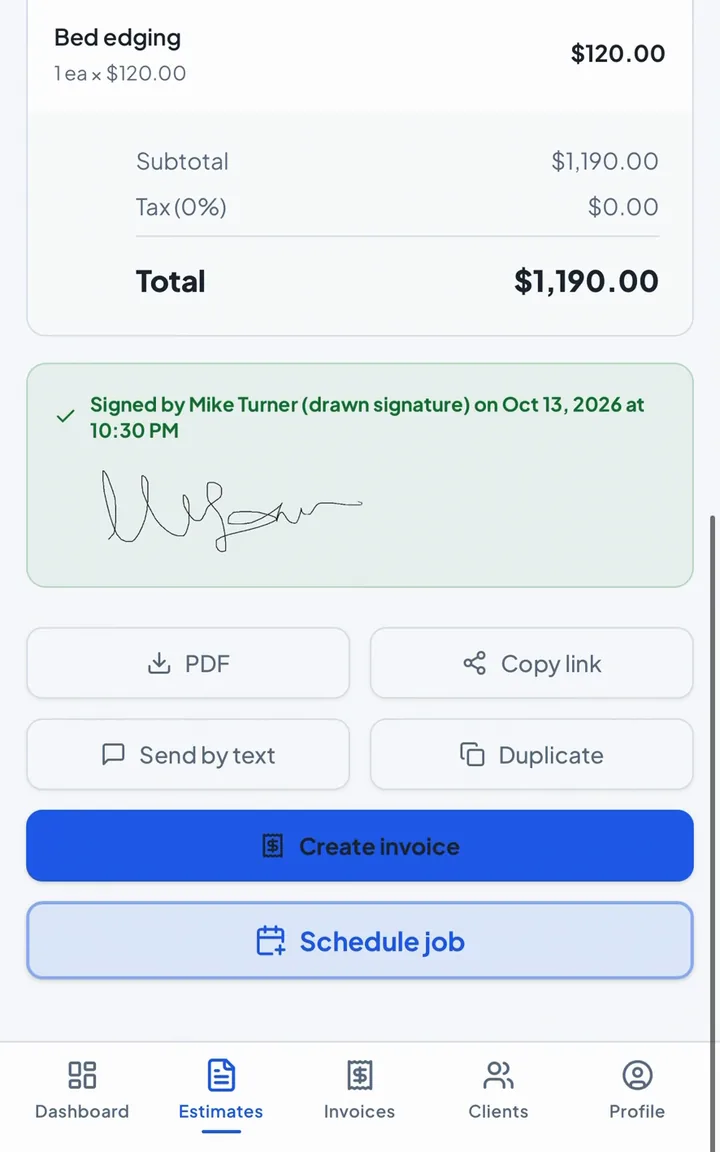
Signed lawn care estimate in the OmniFlow HQ app: total $1,190, customer signature, Create invoice button

How It Works

From walk-through to signed invoice in three steps.

1

Build it on-site

Turn a walk-through into a polished estimate before you pack up.

2

Send & sign

Text a secure link. Your customer signs right from their phone, and the signed PDF ends with a Signature Record: who signed, when, and from what device.

3

Invoice in one tap

Convert the signed estimate into an invoice without retyping a thing.

Get paid for the work you did.

Deposits and Pay now, straight to you.

Set a deposit on the estimate. After signing, customers can pay it through your own Square, PayPal, Venmo or other links, and unpaid invoices get a Pay now button. The money goes straight to you.

Partial payments, tracked.

Half in cash, the rest by check? Record each payment and the balance updates itself.

See who still owes you.

One number on your dashboard: every unpaid invoice, every client.

Every client's full history.

Estimates, invoices, deposits and payments, with what's still owed, on one screen.
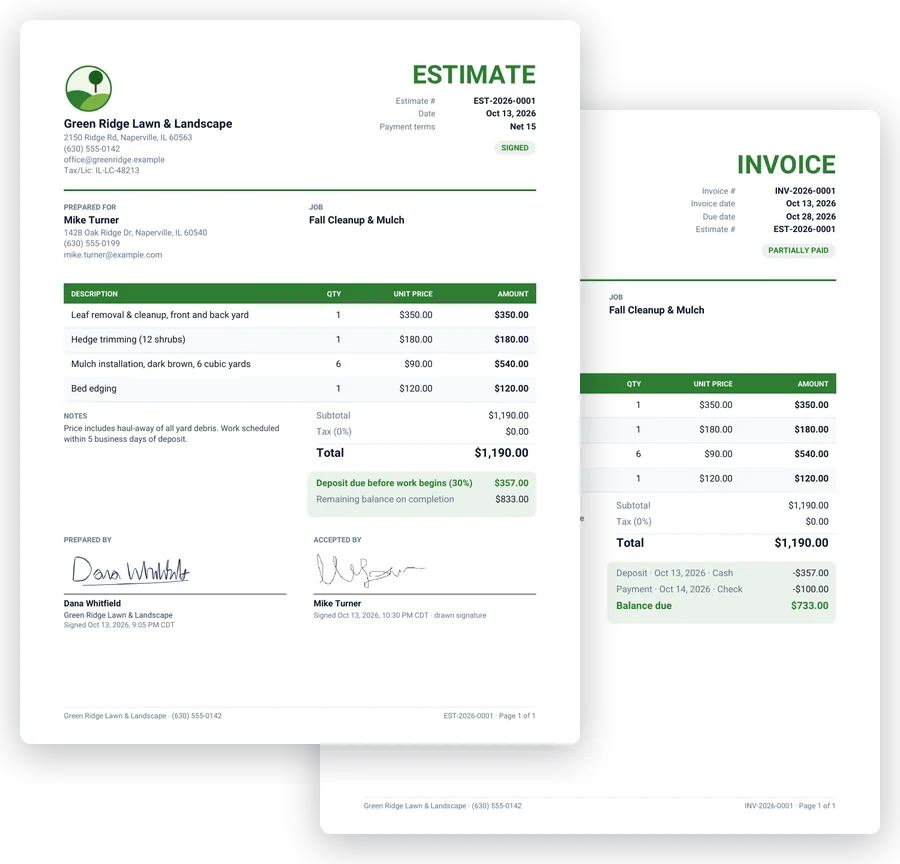
A signed estimate and a partly paid invoice for the same lawn care job, in the business's green brand color

Your work is professional. Your paperwork should be too.

Your logo, your colors. Pick them right from your logo.

  • Estimates signed by both of you, with the date and time on it.
  • Invoices that show exactly what's left to pay. Any deposit or payment comes off automatically.
  • The same clean PDF on your phone, in their inbox, and on the link.

Built for your trade. Not a desk job.

Lawn Care
Landscaping
Electricians
Plumbers
HVAC Techs
Handymen
General Contractors
Cleaners
Painters
Junk Removal
Pressure Washing
Pool Service Techs
Mobile Auto Detailers
Any Other Trade

Add it to your home screen. Opens like any app.

Works on iPhone and Android Launches from your home screen

The rest of the job, handled.

Follow-up emails

Estimate gone quiet? Send a follow-up in one tap, using your own template.

Review requests

Job done? Ask for a Google or Yelp review with a ready-made message.

Lead capture form

Share a link or embed the form on your site. Each new request is emailed to you and shows up in your Requests tab, ready to turn into an estimate.

Payment reminders

Invoice overdue? Send a polite reminder email in two taps.

Jobs on your calendar

Schedule the work and add it to your phone's calendar.

Know your margin

Add material and labor cost to see your profit on every estimate. Only you see it.

Solo Tradesman

Early-user price

$19/monthplus tax

Regular price $29/month

Subscribe by May 31, 2027 to lock in $19/month or $190/year for as long as you stay subscribed. After that date, new subscribers pay $29/month or $290/year.

First 30 days free · No credit card

Unlimited estimates & invoices
Instant e-signatures on any phone
Ready-made trade templates
Client management & calendar
Signature Record on every online signature
Pay now links to your own Square, PayPal & more

Already have a client list?

We'll import it for free.

Questions from the field.

Can customers sign estimates from their phone?

Yes. When you send an estimate, your customer gets a secure link via text or email. They tap it, review the proposal, and sign right on their phone screen — no app, no login, no printing. You get a notification the moment it’s signed.

What if a customer says they never signed?

When a customer signs through your link, the signed PDF ends with a Signature Record page: when the estimate was sent, first viewed and signed, the name they signed with, whether they drew or typed it, their IP address, device and browser, and a SHA-256 fingerprint of the estimate’s contents. Once it’s signed, the estimate is locked, so nobody can change it afterward. That gives you a clear record of who signed what, and when.

Can I turn an estimate into an invoice?

Absolutely. Once an estimate is signed, one tap converts it into a clean invoice with all line items, pricing, and client details carried over. No retyping, no copy-paste. Send it off and track payment status from your dashboard.

Do I need to download an app?

No. Open omniflowhq.com on your phone and add it to your home screen. It opens like any other app, on iPhone or Android.

What happens when my 30-day trial ends?

After your 30-day free trial, you can choose the Solo Tradesman plan at the early-user price: $19/month, or $190/year (2 months free compared with paying monthly), plus applicable tax. Subscribe by May 31, 2027 to lock in $19/month or $190/year for as long as you stay subscribed. After that date, new subscribers pay $29/month or $290/year. There’s no automatic charge and no credit card required during the trial. If you decide not to continue, your data stays yours to export.

Can I import my existing customer list?

Yes. If you already have clients in a spreadsheet or another system, send it our way and we’ll import it for free. Every client lands in your dashboard, ready for estimates and invoices.

Where do quote requests from my website go?

Every request from your lead capture form shows up in the Requests tab in the app, with a count of new ones, and is also emailed to you. From there you can call, text or email the customer, mark the request contacted, or archive it. Create estimate adds them as a client (or uses an existing client whose phone or email matches, if you confirm it) and opens a new estimate with their details filled in.

Can I collect payments through OmniFlow HQ?

Your customers pay you directly, through your own accounts. Add your Square, PayPal, Stripe, Venmo or Cash App links, your Zelle email or phone, or your own instructions in Profile, and unpaid invoices show a Pay now section (PayPal fills in the balance due), plus a How to pay section on the invoice PDF. OmniFlow HQ never handles the money, so you still record each payment on the invoice when it comes in.

Can customers pay a deposit when they sign?

Yes, if the estimate has a deposit and you’ve added your payment links in Profile. Right after signing, your customer sees a Pay deposit section with your Square, PayPal, Venmo or other options, and the money goes straight to you. When you turn the signed estimate into an invoice, the deposit comes off the balance.

Can I send an estimate by text instead of email?

Yes. Copy the link and send it however you like — text, WhatsApp, or email.

Is my customer data private?

Yes. Your data is stored on Google Cloud servers in the United States, and no other account can see it. Your OmniFlow HQ subscription is billed through Dodo Payments as Merchant of Record, so your card details for it never touch our systems. You can export everything or delete your account and all its data at any time.
YOUR NEXT JOB IS WAITING

Make every estimate feel like a yes.